
Our latest Onsite update adds a Permissions screen. It shows you which phone settings Onsite needs and takes you straight to them.
Download the latest update
Update for Apple · Update for Android
Why we added it
Onsite needs access to your camera, photos and location to capture job evidence. If one of those is switched off on your phone, the app might not let you continue, and it isn’t always clear why.
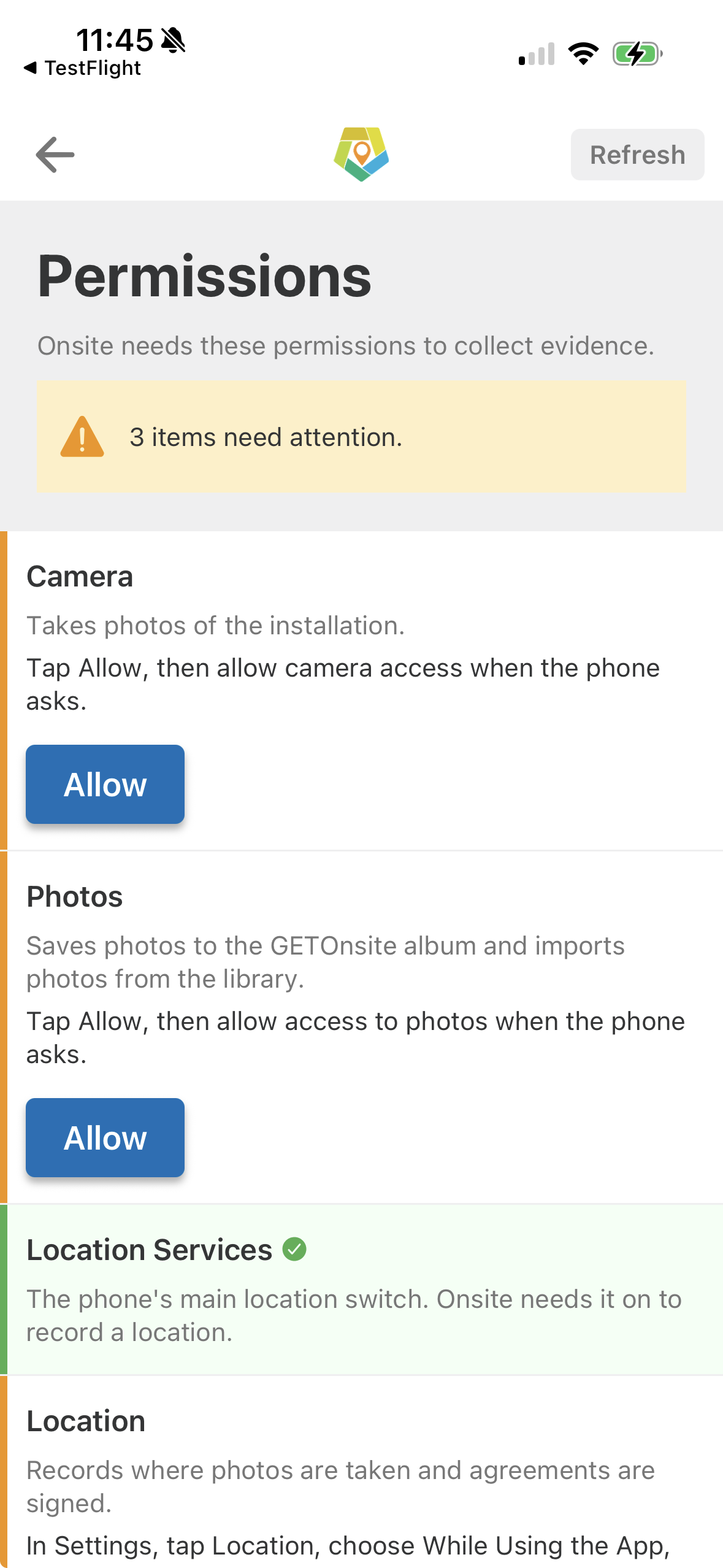
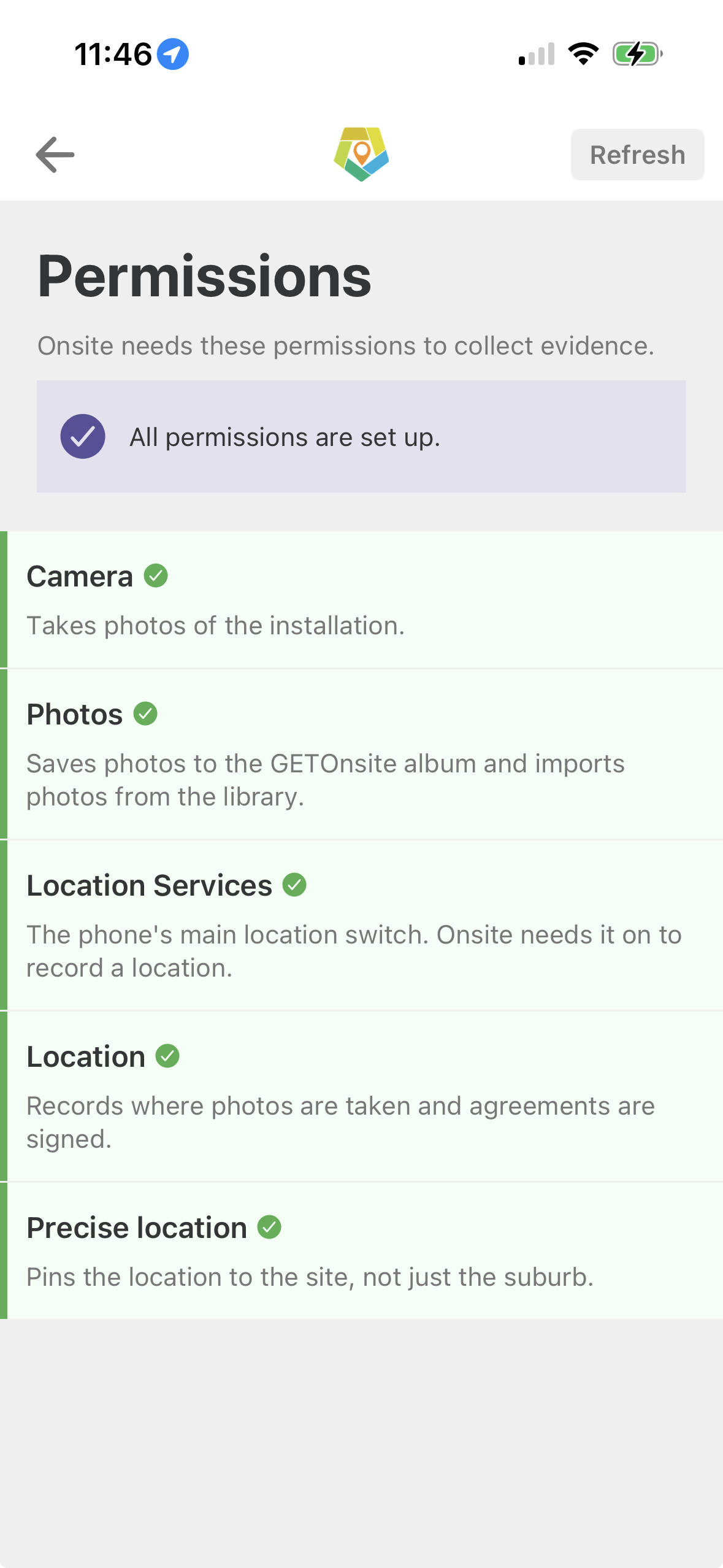
What the Permissions screen does
Checks every permission Onsite needs on your device
Shows you which ones are switched off
Gives you a shortcut and simple instructions to turn them on
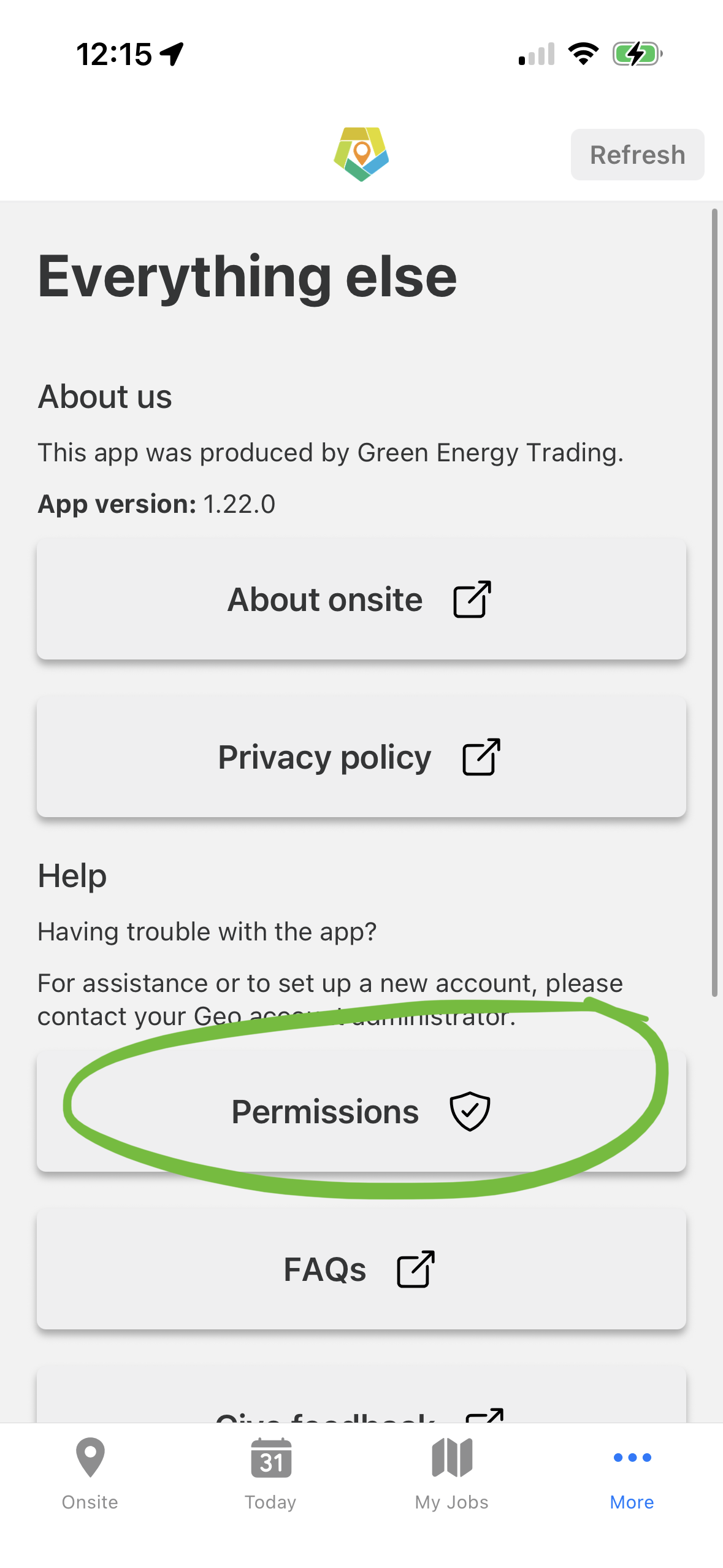
Where to find it
Open Onsite, go to the More tab and tap Permissions.
It's worth checking it out after you install this update. If the app ever stops letting you take photos or scan serials, this is the first place to look.
Built by our own team, for you
We build and support Onsite in-house, so improvements like this come from the problems you tell us about. Update to version 1.22.0 to get the new screen, and keep the feedback coming.
Our team is here to support you. If you have any questions, please do not hesitate to get in touch.

Tiana Bergmans
Solar Team
03 9805 0719
tiana.bergmans@greenenergytrading.com.au

Bianca Cottle
System Solutions Manager
03 9805 0751
bianca.cottle@greenenergytrading.com.au